Device Upgrade Timing: When Should You Actually Upgrade Your Old Devices? best (Complete 2026 Guide)

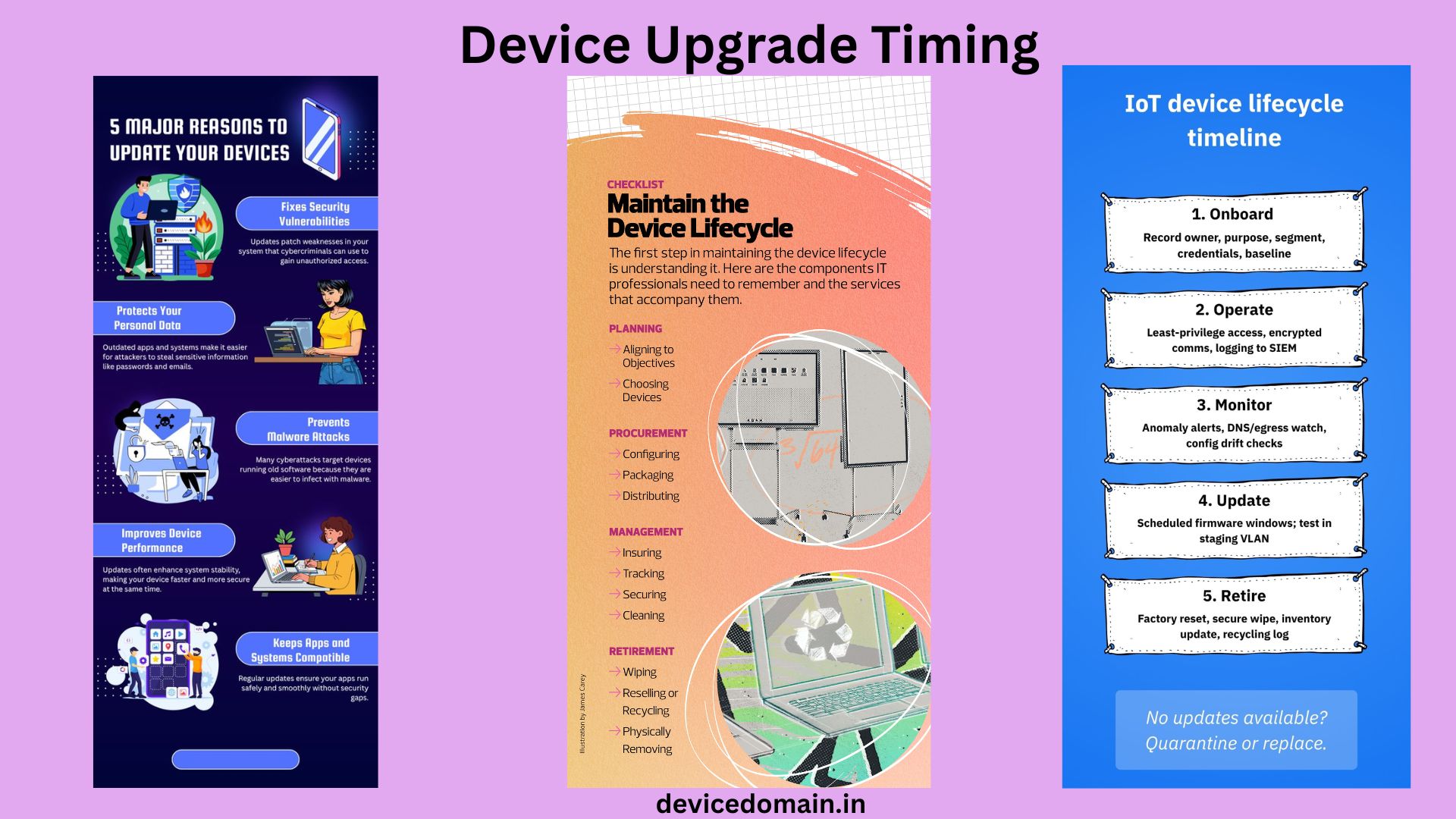
Your old devices slow down over time. The batteries wear out. The storage fills up. Apps stop working. You start to wonder if it is time to Device upgrade your devices.
Many people replace their devices soon. Others wait too long. Both choices waste money. This guide helps you decide when to upgrade your devices. You will learn in signs to watch for. You will avoid hype and smart ads. You will upgrade your devices only when it makes sense.
Let’s get straight to it.
Why Device Upgrade Timing Matters
Upgrading your devices early costs you cash. Phones and laptops are not cheap. Upgrading your devices late costs you time. Slow devices waste hours each week. Old tech can also pose risks. Security updates may stop. Your device data becomes easier to steal.
Smart timing protects your money and your time. It also keeps your device data safe. The goal is balance. Not too soon. Not too late. You need to find the time to upgrade your devices.
The Average Lifespan of Common Devices in 2026
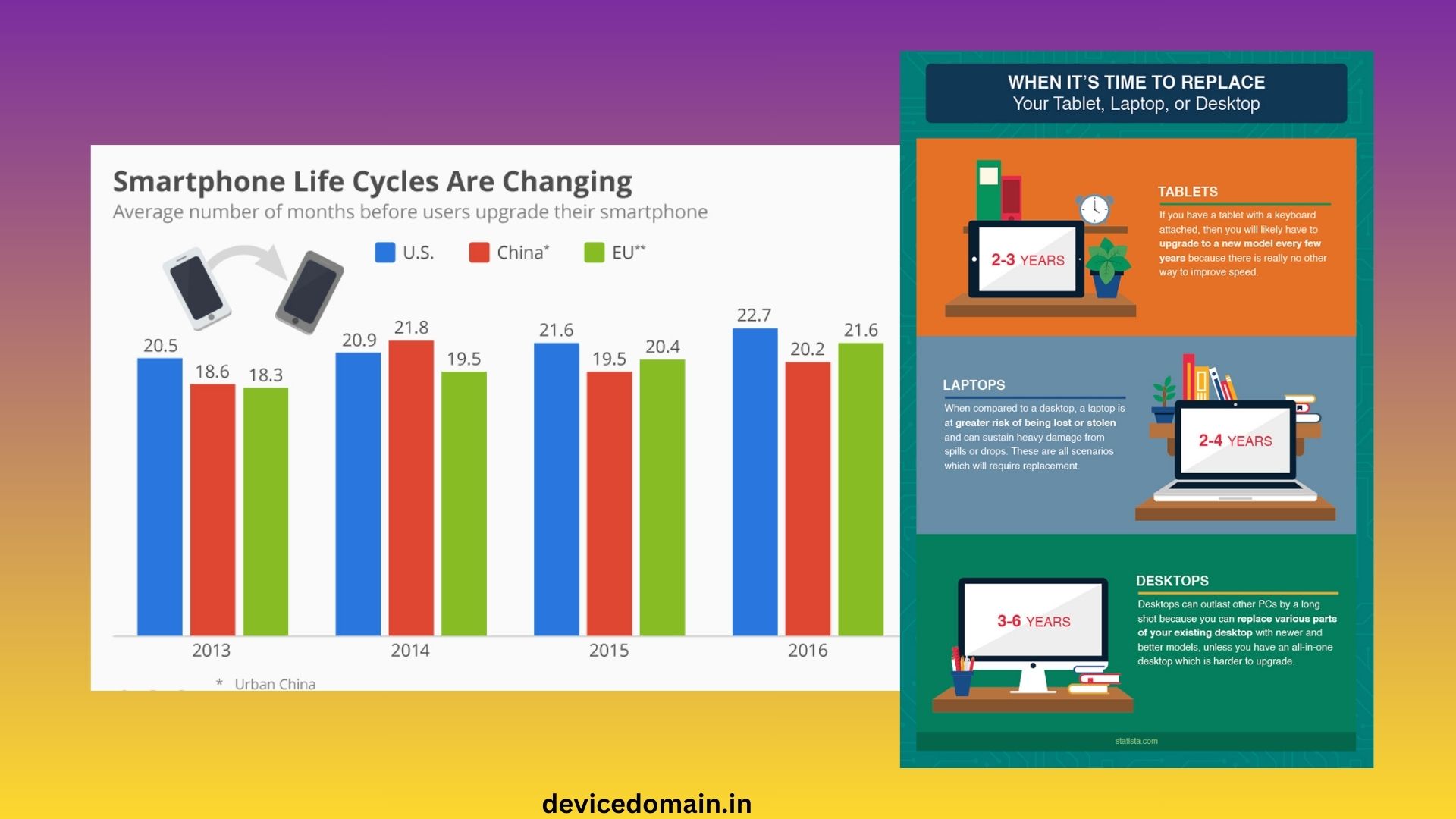
Here is what most people see today. The average lifespan of smartphones is 3 to 5 years. The average and lifespan of the laptops and tablet is 5 to 7 years. The average lifespan of desktop PCs is 5 to 8 years. The average lifespan of smartwatches is 3 to 4 years.
These are averages. Your use may change the timeline. Heavy gaming shortens the life of your devices. Light web browsing extends it. You need to consider how you use your devices when deciding when to upgrade.
1. Performance Problems
Speed is the clear sign that your devices are getting old. Apps take longer to open. Web pages load slowly. Your device freezes at random. Restarting helps less each time. You may notice lag while typing. Videos may stutter. Games may crash.
If these problems happen daily your device is aging. Before you upgrade try fixes. Delete unused apps. Clear storage. Update the system. Reset your device if needed. If speed does not improve replacement may be wise.
2. Battery Life Is Fading
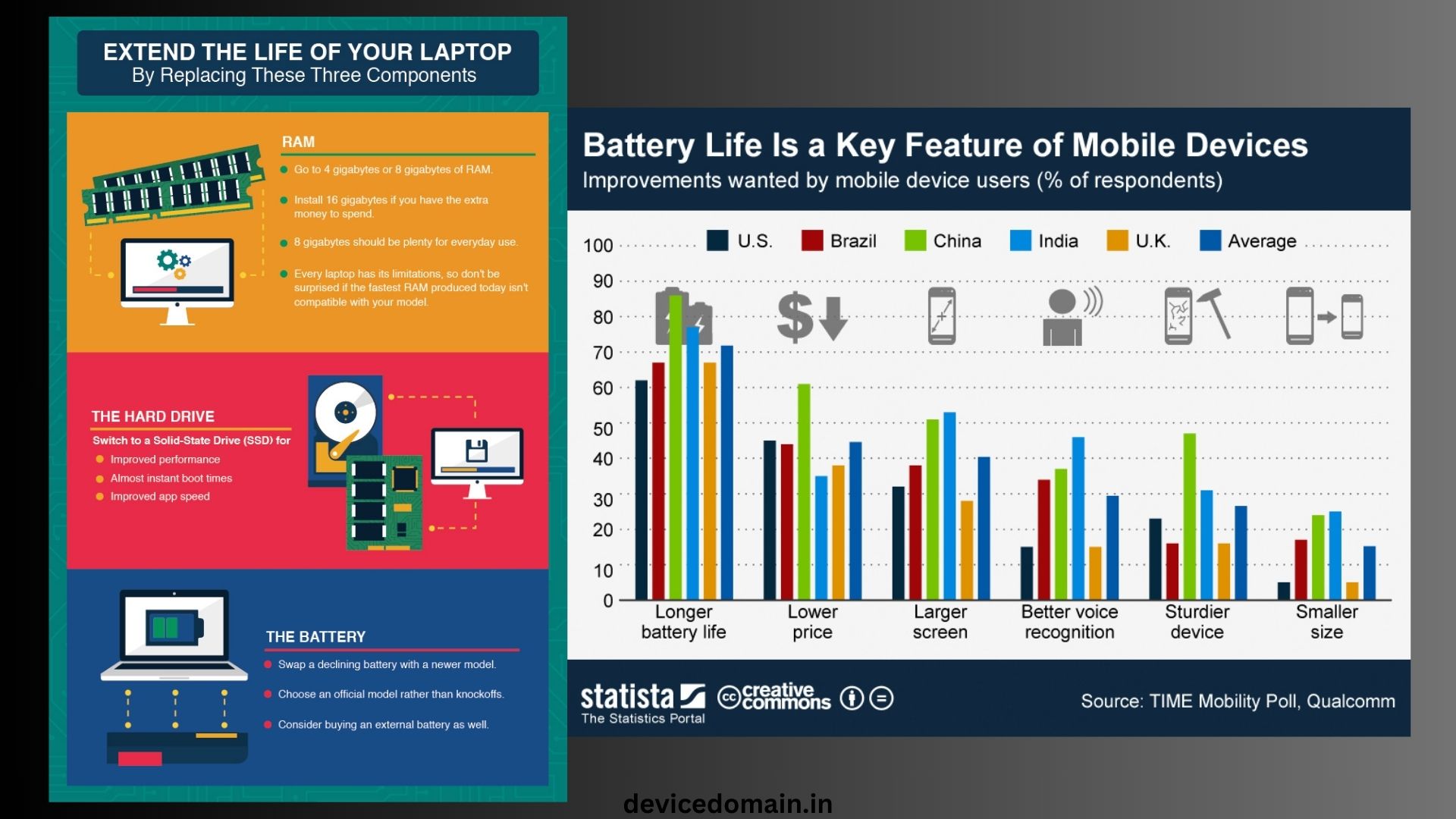
Batteries wear out with use. This is normal. If your phone dies by noon pay attention. If your laptop must stay plugged in that is a sign. Check to the battery health in the settings if is available. If battery health drops below 80 percent it may struggle.
Sometimes a battery swap is cheaper than a device. Check repair costs first. If the repair costs over half the price of new upgrade your device. If You do not want to waste of money on the repairs.
3. No More Software Device Upgrade Updates
This is a factor in 2026. Tech firms support devices for a set time. After that updates stop. No updates mean no features. Worse no security patches. Hackers target systems. Bank apps may stop working.
If your device no longer gets updates start planning to upgrade. If You do not to need to the rush in the day.
Do not in to the wait in the years. Security should never be ignored. if must in Your device of the data is at risk if you must do not in the upgrade.
4. Storage Is Always Full
You photos every week. You remove apps just to install one. Constant storage stress slows devices. Cloud storage helps. External drives help too.. If your base storage is too small it will always feel tight.
Modern apps use space than older ones. System files also grow with time. If storage blocks use, upgrade to a larger model. You need storage to run your apps smoothly.
5. Repair Costs Keep Rising
Repairs can extend device life. Screen cracks are common. Keyboards fail. Fans wear out. Ask one question. Is the repair worth it? Use this rule: If repair costs than 50 percent of a new device upgrade.
If multiple parts are failing, upgrade. One small repair is fine. Repeated repairs drain money fast. You do not want to the waste of money on repairs.
6. Your Needs Have Changed
Sometimes your device works fine.. Your life changed. Maybe you started work. Maybe you edit video now. Maybe you game often. Old hardware may not meet demands.
If your tasks push your device to its limits upgrade. Buy based on needs. Do not buy for trends. You need a device that can handle your tasks.
7. Compatibility Problems
New apps may not install. Smart home gear may not connect. File formats may not open. This is the common with laptops and phones. If your device blocks tools you need it is time.
Work and school tools must function well. Compatibility issues rarely improve over time. You need a device that can run the apps you need.
8. Physical Wear and Damage
Look at your device closely. Is the screen. Burned in? Are keys missing? Is the charging port loose? Cosmetic damage is fine. Functional damage is not.
If daily use feels annoying your device may be near its end. Comfort matters. You use these tools every day. You need to a device that’s comfortable to the use.
9. Security Risks
Old devices become targets. Outdated systems lack security tools. Wi-Fi standards improve. Encryption improves. If your device cannot support apps or two-step login, upgrade.
Your bank and work data must stay safe. Security is not optional. You need to protect your device data.
10. The Device Upgrade Temptation Trap
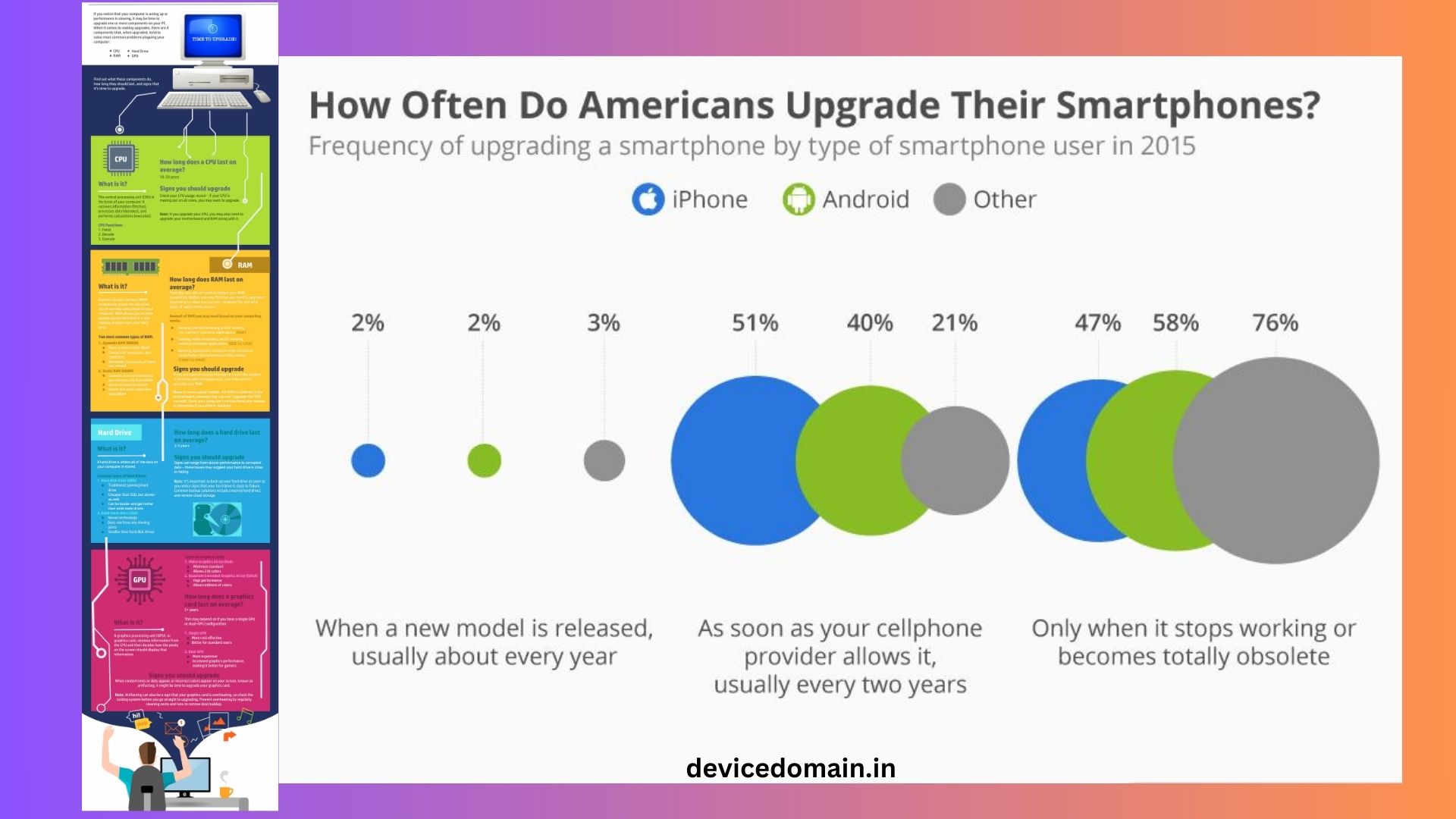
New devices look shiny. Ads make them seem life changing. Most yearly upgrades bring changes. Better camera. Slight speed boost. New color.
Ask yourself: Will this change use? If the answer is no wait. Skip hype. Focus on gains. You do not want to the waste money on upgrades.
Smartphone Device Upgrade Timing in 2026
Smartphones get the attention. They also age faster than devices. Upgrade your smartphone if the battery dies fast. Upgrade if there are no system updates. Upgrade if apps crash often. Upgrade if the camera no longer meets your needs.
Wait if your smartphone still runs smoothly. Wait if it gets updates. Wait and if the battery is lasts a day. Three to five years is normal. Heavy users may upgrade at year three. Light users may reach year five.
Laptop Device Upgrade Timing in 2026
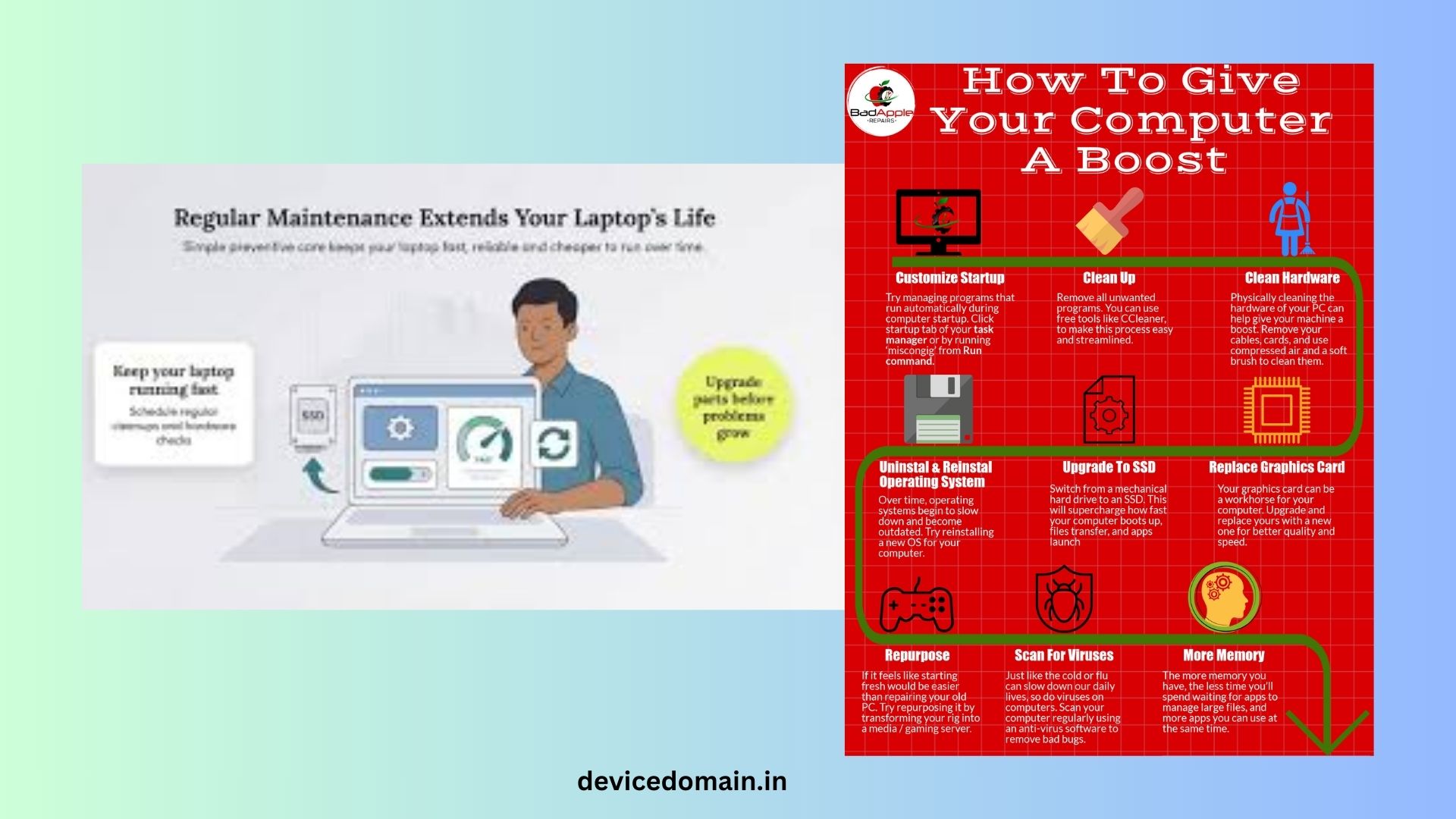
Laptops handle tasks. They often last longer than smartphones. Upgrade your laptop if it cannot run your apps well. Upgrade if boot time is very slow. Upgrade if the fan runs loudly all the time. Upgrade if it no longer gets system updates.
Solid state drives help older laptops feel new. Adding RAM can also help. Try upgrades before replacement. Four to six years is common.
Tablet Device Upgrade Timing
Tablets age like smartphones. Battery and updates matter most. If you use it for streaming and browsing it may last longer. If you use it for art or work performance matters more. Four to six years is typical.
Desktop PC Device Upgrade Timing
Desktops are easier to upgrade part by part. You can swap graphics cards. You can add RAM. You can install storage. Full replacement is rare before five years.
Gamers may upgrade parts often. Office users can stretch use longer. You need to consider how you use your desktop when deciding when to upgrade.
Smartwatch Upgrade Timing
Smartwatches rely on battery and software support. If battery life drops sharply consider replacement. If it no longer pairs with your smartphone, upgrade. Three to four years is common.
Cost vs Value
Upgrading every two years costs a lot. Waiting eight years may hurt productivity. Think in cost terms. If a $1,000 laptop lasts five years that is $200 per year. That is fair for use.
If you upgrade every two years cost doubles. Balance value with need. You need to consider the cost of upgrading your devices.
Environmental Impact
E-waste is a growing problem. Devices contain metals and rare parts. Mining harms land and water. Keeping devices longer helps the planet. When you upgrade, recycle properly. Use trade-in programs when possible.
Small choices add up. You can make a difference by keeping your devices. You can also recycle your devices.
Signs You Should Not Device Upgrade Yet
You feel bored with your device. A friend bought an one. A sale looks tempting. None of these are reasons. If your device works well to keep it. Saving money gives you options later.
A Simple Device Upgrade Checklist
Ask these questions:
- Does your device still get updates?
- Does it run your apps smoothly?
- Does the battery last, through your day?
- Are repair costs low?
- Does it meet your needs?
If you answer yes to most keep your device. If you answer no to several plan to upgrade. You need to consider your needs when deciding when to upgrade.
Best Time of Year to Device Upgrade
Prices drop during sales. Late year sales are common. Back-to-school deals help students. Buying just after a new model launch can cut prices on models.
Never rush into day-one purchases. Early buyers pay more. You can save the money by waiting for the sales.
How to Prepare Before Upgrading
Back up your data. Photos, files, contacts. Sign out of accounts. Erase the device fully. Compare models based
Look for reports that cover a time.
When to Device Upgrade for Work
The devices you use for work need to be good and work all the time.
If your device crashes and you lose money you should upgrade sooner.
When your tools are slow you do not get much work done.
The time you waste is like money you throw away.
People who use devices for work usually upgrade every three or four years.
It is more important to have a device that works than to have the newest one.
When to Device Upgrade for Gaming
Games need devices to run well.
If your device cannot run games well you should upgrade some parts or get a new device.
It is okay to lower the settings at first.
If your device is slow all the time it is not fun to play games.
People who play games a lot upgrade their devices often than people who just use them for regular things.
Final Thoughts
When to upgrade your device is not about what’s new and cool.
It is, about what you need your device to do.
You should upgrade when your device is slow.
You should upgrade when it is not safe to use.
You should upgrade when you need it to do things.
If your device works well you do not need to upgrade.
Upgrading at the time saves you money.
It keeps your information safe.
It helps reduce waste.
In 2026 devices last longer than they used to.
You do not need to the upgrade every year.
Pay attention to when you need to upgrade.
Use this guide to help you.
Make choices and do not rush.
Your money and your time will be happy.